
A Start menu for your Mac, one key away.
macOS Start Menu is a free app launcher that brings the Windows Start menu to macOS. A panel opens right below the menu bar, search field already focused: apps, folders and System Settings — never the documents, archives or caches Spotlight digs up. With Launchpad gone in macOS Tahoe, it’s the quickest way to reach every app.
Tap Command
Press and release ⌘ alone, like the Windows key. Shortcuts such as ⌘C are never affected.
Instant search
Typing ranks your apps and suggests matching folders and System Settings panes, by their name in your Mac’s language or in English.
Sort your way
A–Z, recently used, most used or by category — in a grid or a list.
Power at hand
Lock, log out, sleep, restart and shut down, plus App Store, Activity Monitor and Force Quit.
Clean uninstall
Right-click an app to move it to the Trash along with the preferences and caches it left behind.
Hide the noise
System apps can’t be deleted, but you can hide the ones you never use.
Recent files & pins
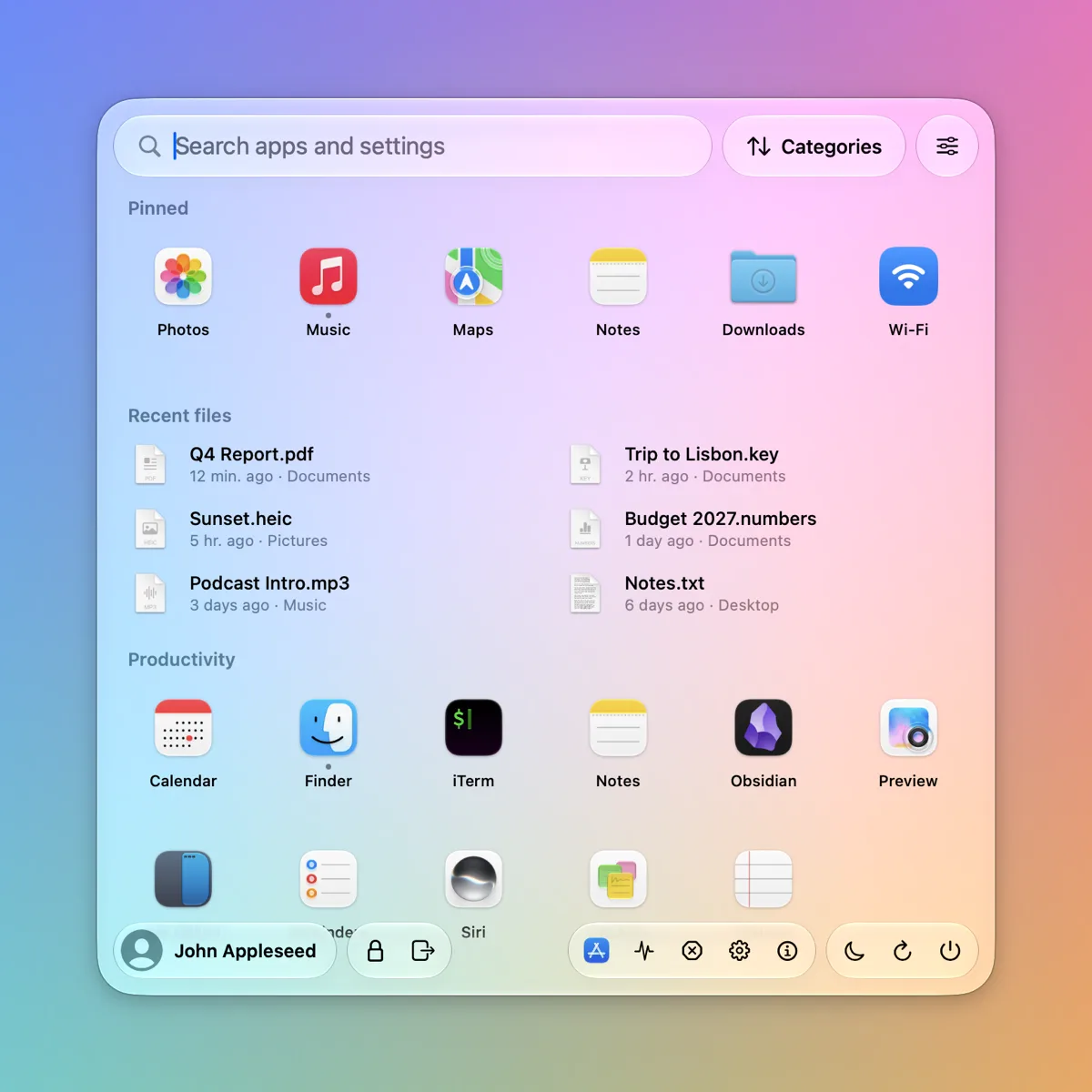
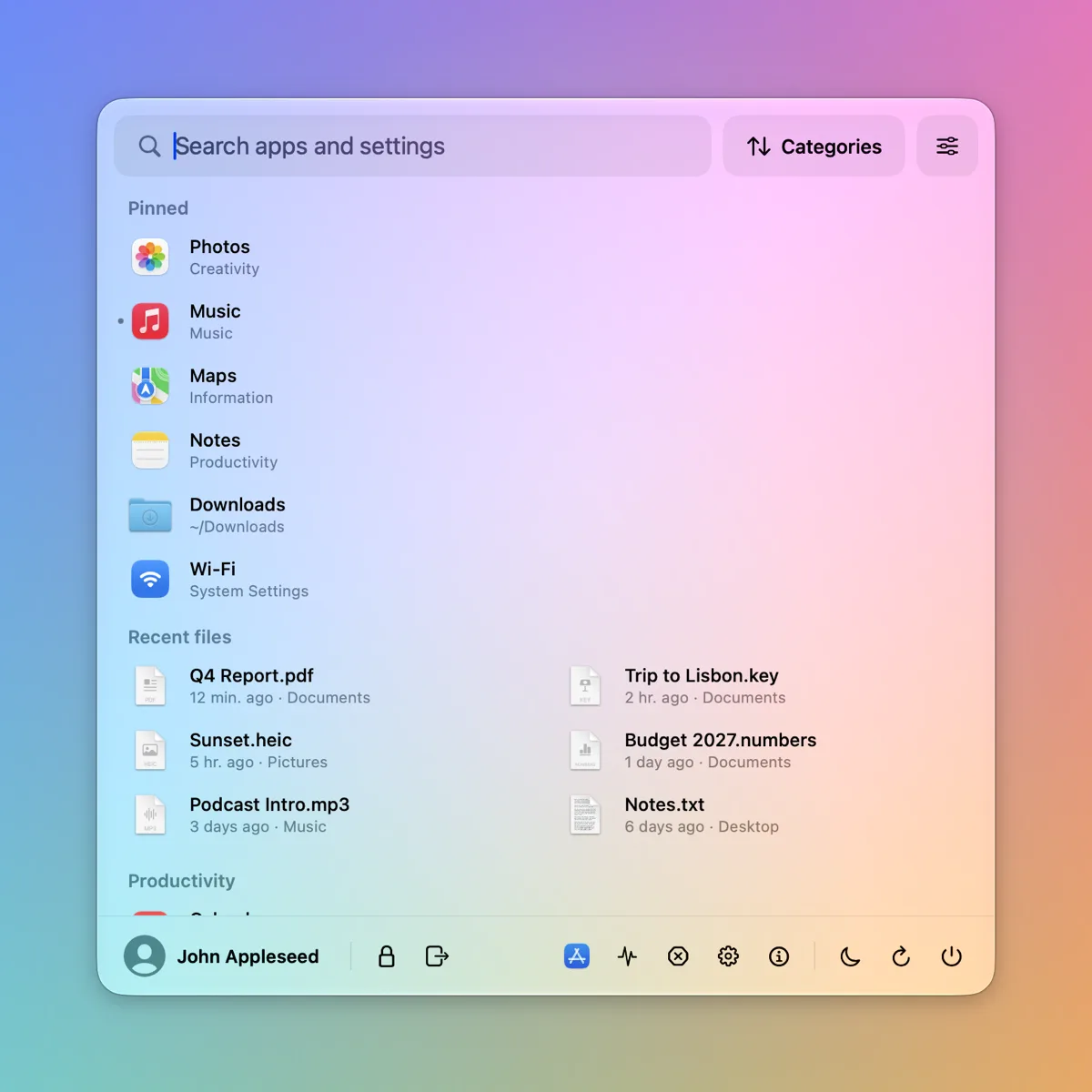
Your latest documents sit above the apps. Drag files, folders or apps onto the menu to pin them, and drag pins to reorder them.
Calculator & web
Type 12*7 or 20% of 85 for the answer, run your Shortcuts, or send the search to the web.
Your key, or the Apple logo
Open it with either ⌘, the right ⌘, ⌥ or the Globe key — or with a click on the Apple logo.
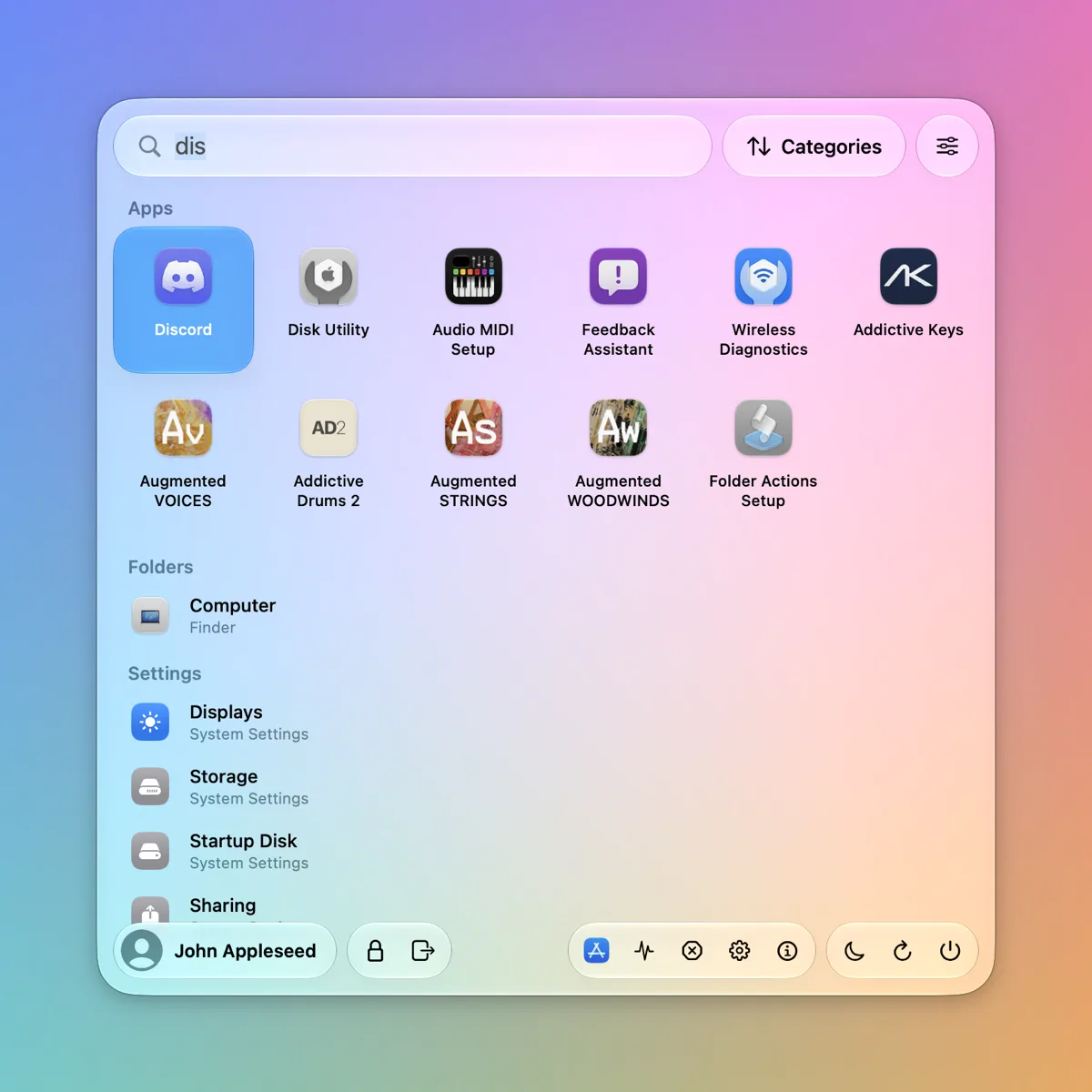
Apps and settings, side by side.
Type a few letters: matching apps come first, then the System Settings panes they relate to.
- Forgiving matching — word starts, initials and typos all find their app.
- Settings by meaning — “dark mode”, “wifi” or “luminosité” open the right pane.
- Keyboard first — arrows to move, Return to open, Escape to close.
Liquid Glass, or Classic.
Built with the native Liquid Glass of macOS Tahoe. Prefer something flatter? Switch styles from the settings menu.
Shortcuts
Everything works from the keyboard.
| ⌘ alone | Open or close the menu |
| Type | Search apps and settings |
| ←→↑↓ | Move through the results |
| ↩ | Open the selection |
| esc | Close |
| ⌘Q while open | Quit Start Menu |
Questions
How do I get a Start menu on a Mac?
Install macOS Start Menu, allow it in Privacy & Security › Accessibility, then tap the ⌘ Command key on its own. A Windows-style start menu opens below the menu bar with all your apps, a search field, and power buttons.
Is it a Launchpad alternative for macOS Tahoe?
Yes. macOS 26 Tahoe replaced Launchpad with the Apps view. macOS Start Menu gives you a fast, keyboard-first grid or list of every app, sorted A–Z, by recent use, most used or category.
Why does Spotlight show files when I only want apps?
Spotlight hides categories you turn off, but files it can't classify (game assets, archives, caches) still show up. Start Menu reads your app folders directly, so it only lists apps, System Settings panes and your main folders.
Does tapping ⌘ break keyboard shortcuts?
No. The menu opens only when ⌘ is pressed and released alone within half a second. ⌘C, ⌘V and every other shortcut work as usual.
Is macOS Start Menu free?
Yes, it's free to download. The source code is on GitHub.
Which Macs are supported?
Macs with Apple silicon running macOS 26 Tahoe or later.
Install macOS Start Menu
Signed and notarized by Apple: it opens like any other app.
Download and install
Open Start-Menu.dmg and drag Start Menu onto the Applications folder.
Grant Accessibility
Turn on Start Menu in Privacy & Security › Accessibility. It’s needed to notice the ⌘ key anywhere.
Or install it with Homebrew:
brew tap corentin-gautier/tap
brew trust --cask corentin-gautier/tap/macos-start-menu
brew install --cask corentin-gautier/tap/macos-start-menu
Or build it from source (Xcode or the Command Line Tools):
git clone https://github.com/corentin-gautier/macos-start-menu.git
cd macos-start-menu
scripts/setup-signing.sh   # once: local signing certificate
scripts/install.sh         # build, install, start at login